
Fritzbox7490: Difference between revisions
| (8 intermediate revisions by the same user not shown) | |||
| Line 1: | Line 1: | ||
==Configuration as Access Point== | ==Configuration as Thimo's Access Point== | ||
* from | * reset to Werkseinstellungen | ||
* | * restart led to standard configuration guide | ||
** set to Internet by LAN access | |||
** set WLAN name to 'ThimosDenkfabrik' | |||
** WLAN code '99684131680583207375' | |||
** set pwd to 'Thimo2012@' | |||
* builds up an own IP address range and can be reached by 192.168.188.1 within the same network e.g. from Thimo's PC [[File:ThimoFritzBox1.jpeg|400px]] | |||
* [[File:ThimoFritzBox2.jpeg|400px]] | |||
* fixed ip 192.168.178.52 | |||
==Obsolete Configuration== | ==Obsolete Configuration== | ||
Latest revision as of 18:55, 14 November 2022
Configuration as Thimo's Access Point
- reset to Werkseinstellungen
- restart led to standard configuration guide
- set to Internet by LAN access
- set WLAN name to 'ThimosDenkfabrik'
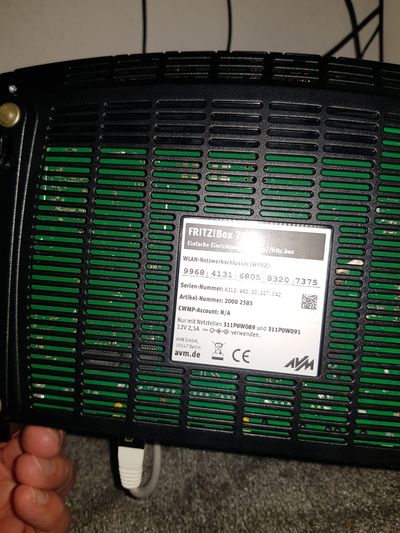
- WLAN code '99684131680583207375'
- set pwd to 'Thimo2012@'
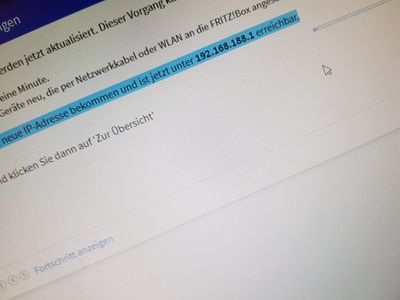
- builds up an own IP address range and can be reached by 192.168.188.1 within the same network e.g. from Thimo's PC
- fixed ip 192.168.178.52


Obsolete Configuration
Remote Access
- Internet -> Freigaben -> FritzBox Dienste -> TCP Port für HTTPS -> 54443

DynDNS
- Internet -> Freigaben -> DynDNS
- enter GoIP data
Update-URL = https://update.spdyn.de/nic/update?hostname=<domain>&myip=<ipaddr>
Domainname = uweheuer.spdns.de
Benutzername = uwe.heuer@gmail.com

Portfreigaben
- Internet -> Freigaben -> Portfreigaben
- HTTP and HTTPS ports 80 and 443 -> Raspberry 3 ports 80 and 443
- SSH port 54444 -> Raspberry 3 port 22

Fritz.NAS
Name = FRITZ.NAS
Arbeitsgruppe = WORKGROUP
User
- System -> FritzBox-Benuter
UweHeuer uwe.heuer@gmail.com <Kose>059@@
WLAN
- Key 99684131680583207375