
AWSPython: Difference between revisions
| (One intermediate revision by the same user not shown) | |||
| Line 18: | Line 18: | ||
* user name is 'ubuntu' | * user name is 'ubuntu' | ||
* potentially grant ubuntu root privileges [https://www.shellhacks.com/how-to-grant-root-access-user-root-privileges-linux/ see here] | * potentially grant ubuntu root privileges [https://www.shellhacks.com/how-to-grant-root-access-user-root-privileges-linux/ see here] | ||
==Operation== | ==Operation== | ||
| Line 39: | Line 26: | ||
* login via WinSCP by site 'ubuntu@54.212.123.129 | * login via WinSCP by site 'ubuntu@54.212.123.129 | ||
* putty from WinSCP does not need any passwort | * putty from WinSCP does not need any passwort | ||
===Reboot=== | |||
sudo reboot | |||
Latest revision as of 11:28, 26 December 2021
Setup[edit]
- Select the correct region


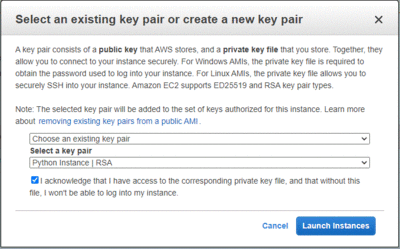
Key Pair[edit]
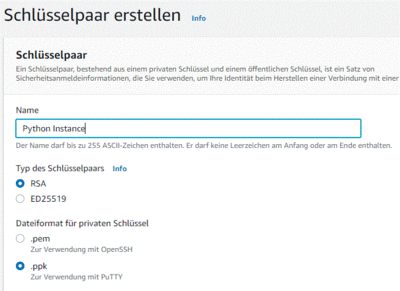
- store file in C:\Uwes\owncloud\documents\computer\AWSPython\Python Instance.ppk

Security Group[edit]
- create a specific security group
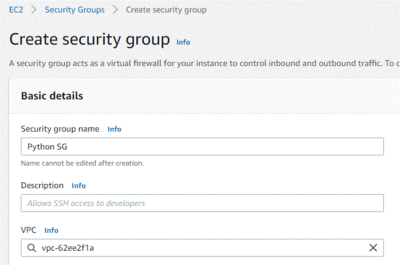
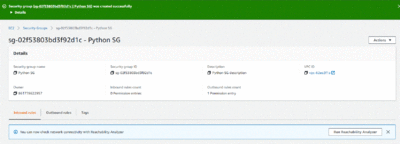
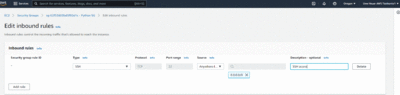
- create a rule to access the instance via SSH


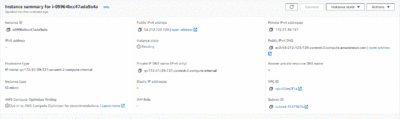
Instance[edit]
- create instance



Configuation[edit]
- user name is 'ubuntu'
- potentially grant ubuntu root privileges see here
Operation[edit]
Login[edit]
- create site 'ubuntu@54.212.123.129'
- in Advanced section select ppk file (s. above)
- ubuntu is default user name for Ubuntu based instances
- login via WinSCP by site 'ubuntu@54.212.123.129
- putty from WinSCP does not need any passwort
Reboot[edit]
sudo reboot