
SpringBoot: Difference between revisions
(→ToDos) |
|||
| Line 74: | Line 74: | ||
* select <code>C:\Uwes\eclipse\workspace_2020-12\SpringBoot\bookmarks</code> | * select <code>C:\Uwes\eclipse\workspace_2020-12\SpringBoot\bookmarks</code> | ||
==== | ====Database Configuration==== | ||
The default is that the datasource url is generated randomly and printed to the console. The default user is 'sa', default password is empty. | The default is that the datasource url is generated randomly and printed to the console. The default user is 'sa', default password is empty. | ||
* in [[#Application_Properties|application.properties]] | * in [[#Application_Properties|application.properties]] | ||
spring.profiles.active=[dev|laptopmysql|raspberry] | |||
spring. | * and created in <code>\bookmarks\src\main\resources\</code> dedicated property files <code>application-[dev|laptopmysql|raspberry].properties</code> | ||
====ToDos==== | ====ToDos==== | ||
Revision as of 23:06, 7 March 2021
Introduction
- Framework to build microservices
- common non-functional features
- not zero code generation
- not a web or application server
- provides starter projects
- embedded server (incl. in application jar)
- externalized configuration
Concepts
- SpringBoot Autoconfiguration: by scanning the classpath
- Dispatcher Servlet
- SpringBoot Actuator (for monitoring)
Security
adding to pom.xml:
<dependency>
  <groupId>org.springframework.boot</groupId>
  <artifactId>spring-boot-starter-security</artifactId>
</dependency>
and update the project automatically sets up form-based authentication with a generated session cookie generated on the server or basic authentication with a header sent along with every request
- user='user
- pwd=see console output of server start
or set it in application.properties
spring.security.user.name=uwe
spring.security.user.password=uwe
This has to be entered just once.
Configuration
Application Properties
in \<Project>\src\main\resources\application.properties
logging.level.org.springframework = debug

#security configuration see here

#H2 database configuration see here
Implementation
Main Application
see /test1/src/main/java/com/uweheuer/springboot/test1/Test1Application.java/
@SpringBootApplication
public class Test1Application {
  ...
  public static void main(String[] args) {
    SpringApplication.run(Test1Application.class, args);
  }
  ...
Rest Controller
import org.springframework.web.bind.annotation.GetMapping;
import org.springframework.web.bind.annotation.RestController;

@RestController
@CrossOrigin(origins="http://localhost:4200") // avoid cross origin errors in browser
public class HelloWorldController
{
  // @RequestMapping(method=RequestMethod.GET, path="/hello-world")
  @GetMapping(path="/hello-world")
Resources
Examples
Udemy Course
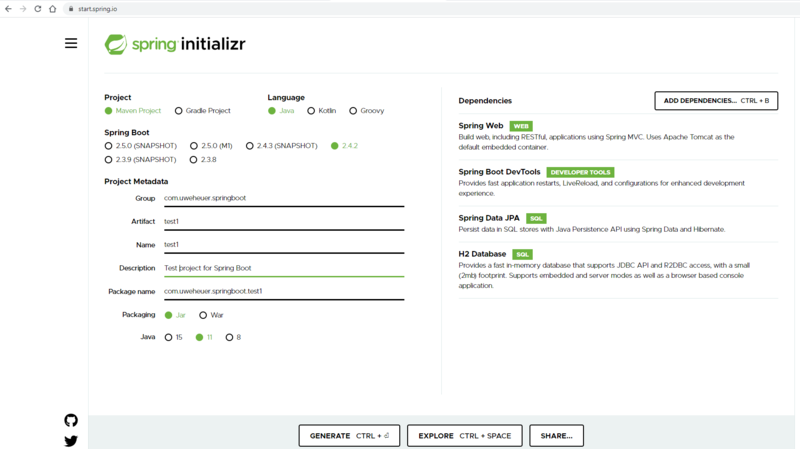
- start eclipse
- File -> Import -> Maven Project

Bookmarks
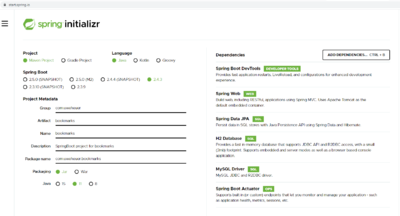
- start eclipse
- File -> Import -> Maven -> Existing Maven Projects
- select
C:\Uwes\eclipse\workspace_2020-12\SpringBoot\bookmarks

Database Configuration
The default is that the datasource url is generated randomly and printed to the console. The default user is 'sa', default password is empty.
spring.profiles.active=[dev|laptopmysql|raspberry]
- and created in
\bookmarks\src\main\resources\dedicated property filesapplication-[dev|laptopmysql|raspberry].properties
ToDos
- switch H2 and MySQL and adjust maven build